Updated 2019: Since writing this post, a new email marketing platform has hit the market. I made the switch to Flodesk, which in my opinion is the absolute best email marketing platform for creative entrepreneurs! You can check out my full comparison and why I made this switch in my blog post, Why I Switched to Flodesk from Convert Kit.
A few months ago, I made the official switch to Convertkit and after using a variety of different email platforms—I can honestly say that it fits my needs perfectly in this stage of my growing business.
This post includes my affiliate link. If you decide to give Convertkit a try, please consider signing up with my link. Referrals programs help educators like me to fund the free content that I provide on my blog.
If you are just getting started, you may be using Mailchimp (or hoarding email addresses on a spreadsheet) and at some point it’s likely that you’ll need a more advanced system to help you create nurturing sequences and sell your services or products. There are a lot of options for email marketing platforms out there like Mailchimp, Aweber, GetResponse, Infusionsoft, however after doing extensive research… I found that Convertkit was the most user-friendly option for this stage of my business.
If you you need a more advanced platform, then my next recommendation would be to check out Infusionsoft. We have used Infusionsoft for the Rising Tide Society and I have built out multiple funnels with it in the past. It can do just about anything… except make you dinner. It still can’t do that.
Convertkit Glossary:
Let’s start with a little glossary, shall we? Convertkit has a handy list of terms in their Help Center and I am including this list below (with a few personal tweaks) because it is crucial to understand how Convertkit describes its features. Remember, every email marketing platform uses different terminology so this may sound different to what you are used to.
- Form: Just like it sounds—this is how a subscriber joins your list. The new subscriber enters a name and email address into the form, hits subscribe, and boom—they are registered. Forms are most often embedded within your website, individual blog post, or used as a pop-up.
- Landing Page:Â Similar to a form, but with more opportunities for content. You may also hear this referred to as a “lead page” by people familiar with other platforms. I use these pages to deliver my content upgrades and downloadable PDFs.
- Sequence:Â A series of emails setup to send automatically based on the initial subscription date. Other platforms: MailChimp calls them automations, Aweber calls them follow-up sequences, Infusionsoft calls them campaigns, other tools refer to them as autoresponders.
- Broadcast:Â A one-time email blast sent to a group of subscribers (or your entire audience). Broadcasts are not part of a sequence and I use them for my weekly newsletter.
- Subscriber: Someone who gives you their email address to receive updates. Subscribers each have their own profile. This means that as you add tags and send emails, it all gets stored on a single profile. If you’ve ever had issues with other platforms having the same subscriber duplicated across multiple lists—this solves that problem.
- Tag: A tiny bit of metadata added to a subscribers profile to track their activity or preferences.
- Segment:Â A saved selection of any combination of Forms, Sequences, and Tags. This makes it easy to access later for sending a broadcast or viewing the total number of subscribers. Segments never have duplicate subscribers even if the subscriber is in multiple sources for that segment.
List of terms adapted from Convertkit’s Help Center.
How to Use Tags:
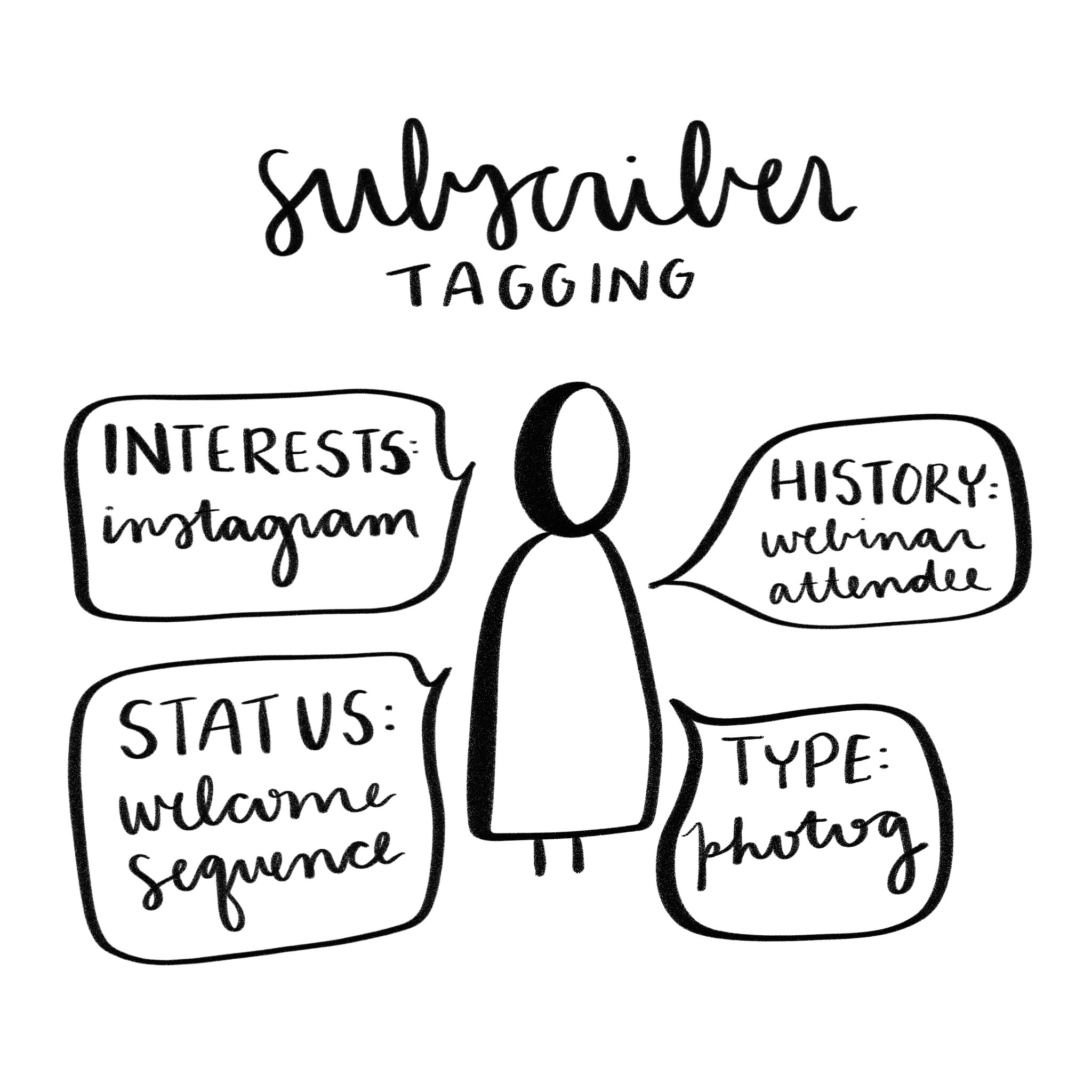
Tags are little bits of metadata attached to a subscribers profile that tell you specific information about them. I have over 20 different tags (and counting) as I track a few key data points on each subscriber.
- History: How did this subscriber end up on my list? This helps to give me background information about where the subscriber came from.
- Status: Is a subscriber currently in a sequence? This helps me to ensure I’m not over emailing subscribers that are currently in a particular nurturing sequence.
- Type: Depending on a subscriber’s history or downloads, I give them a “type” tag. This enables me to segment my list into distinct small business types (creative, photographer, etc.) so that relevant emails can be sent to their corresponding segments.
- Interests: When a subscriber downloads a particular freebie, like my Best List of Instagram Hashtags for instance—I can assume that they are interested in social media marketing and use Instagram. Tagging subscribers based on their interests ensures that I can provide relevant content that they will care about.
Segmenting your list using tags gives you the ability to intentionally nurture different cohorts of subscribers in a way that provides them the most relevant value possible.
For example: When I am speaking at a photography conference and want to inform my list—rather than email tens of thousands of people (many of whom are not photographers), I email all subscribers who are tagged with my “TYPE: PHOTOGRAPHER” tag. Subscribers might have received this tag by downloading photography specific content, attending photography webinar, or having a specific acquisition history that would indicate that they are a photographer.
The more data you have on your subscribers, the more relevant value you can provide them.
Automation is a Life Saver:
This is the kicker. Guys, automation is the main reason why I love Convertkit so very much. The automations and sequences (that run constantly in the background) enable my email marketing strategy to operate behind the scenes while I’m out doing more of what I love.
When someone downloads a freebie, they are tagged with the appropriate tags and dropped into my welcome sequence where they receive a ton of amazing free value. All of that without me having to lift a finger. Guys—it’s pure magic.
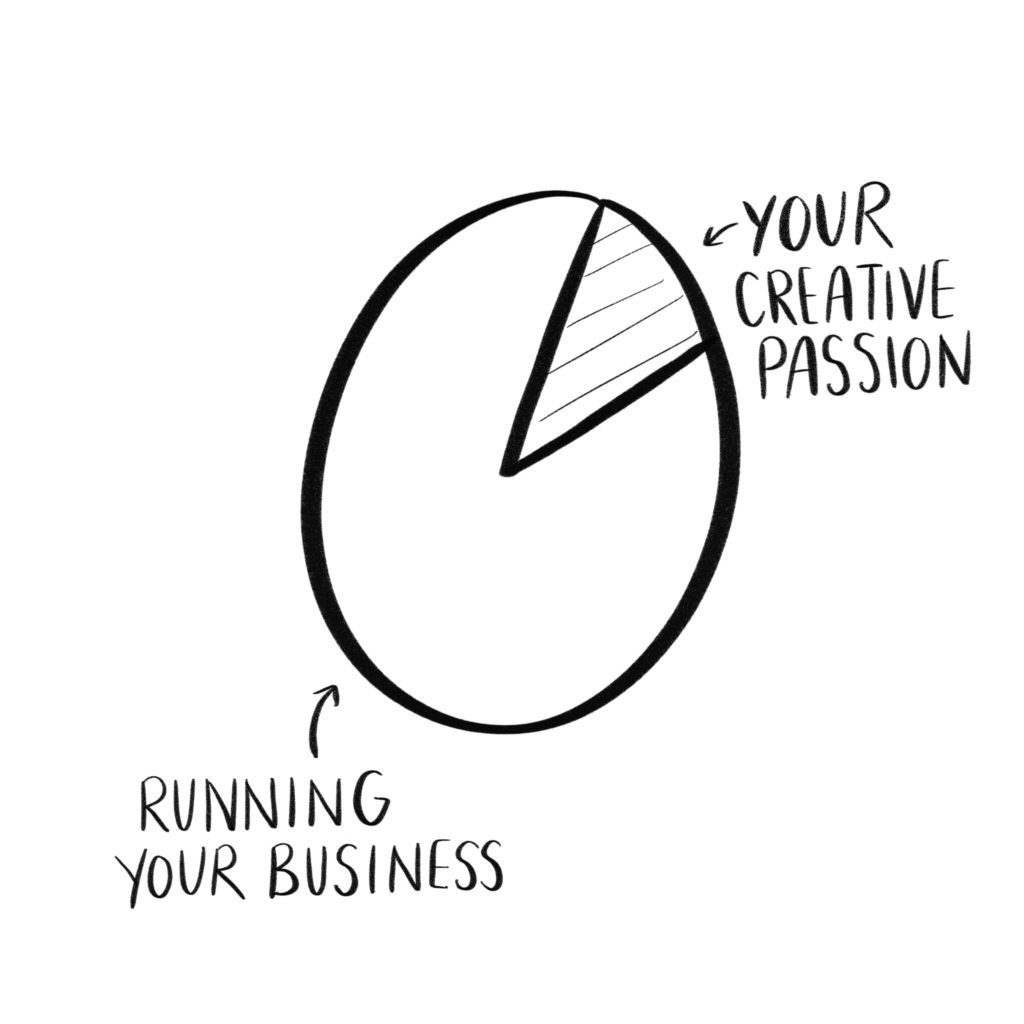
You can read more about the Top Tools that I use to automate my business. These platforms help me to flip the 80/20 rule of being a small business owner and get back to doing what I love to do.
Curious about how I use Convertkit?
Complete the form above to be dropped into my welcome sequence and subscribe to my newsletter. You’ll experience firsthand how I establish communication with new subscribers to introduce them to my brand.
Like this post? You can learn about even more tools that I recommend in my Resources Section.
January 8th, 2018 at 2:50 pm
Hi Natalie thanks for sharing your process you are always so helpful. Quick question if its okay to ask… I was wondering when you were a wedding photographer if you lead your booked clients and inquired clients through an automated email series and what kind of flow/ content you placed them through. Thank you always for being so helpful!
January 27th, 2018 at 11:12 am
My booked client workflow wasn’t automated until I got HoneyBook—that enabled me to setup automations that delivered emails throughout the experience including my pre-wedding questionnaire and payment reminders. I use Convertkit for both my newsletter and sales funnels.
January 11th, 2018 at 10:32 am
Thanks for sharing! This was super helpful! I’m using Mailchimp now, but I’ve been eyeing ConvertKit (especially since one of my 2018 goals is more automation).
January 27th, 2018 at 11:10 am
You should definitely check it out!
January 12th, 2018 at 2:19 pm
Is a Form a completely separate list of subscribers? Or just where they joined? i.e website, blog
January 28th, 2018 at 8:18 pm
A form is the way in which subscribers join your list. It can be stand alone (a landing page) or embedded into your website.