Last year, at the United Conference my sweet friend Anna introduced me to an App that turned my world upside down! I casually mentioned to her how much I hated keeping track of my car mileage and she simply pulled out her phone to show me an easier way.
It took some convincing to break me from my ‘old school’ methods… but even my CPA was impressed when she saw my more efficient and accurate digital method of handling mileage last year! Friends, meet MileIQ.
The Old Way of Recording Milage: My Notebook. Each drive was recorded using my odometer and I was constantly forgetting to write down the start and stop mileage throughout the course of the week. (When you’re busy and running around to shoots + meetings constantly, it can be super easy to forget to jot it down!) And then, even after I had written everything down, there was the giant hassle of going through my notes at the end of the year and transferring odometer readings into an Excel Spreadsheet to send to my accountant alongside my annual business report.
It was absolutely miserable! And there are very few things in the world that I dislike as much as end of the year tax prep!
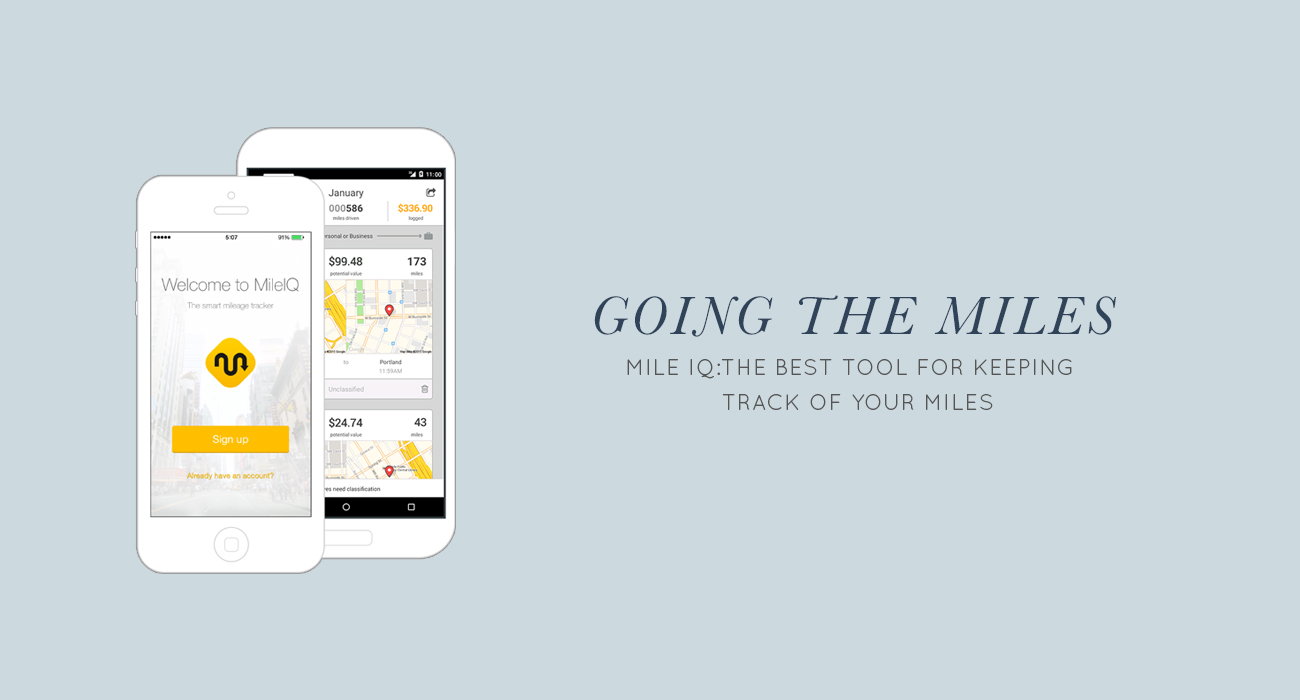
The New Way of Recording Mileage: My Phone with the help of a simple little App called MileIQ. It’s user friendly, well-designed, and makes my life so much easier. I have been using this app for a year now and I’m really loving it!
The beauty of MileIQ is that it runs in the background on your phone and records all of your travels using your integrated GPS. You don’t have to “remember” to do anything as it automatically records for you and allows you to categorize drives later on! Everything is mapped out for you so you can literally see each drive geographically from one address to another… It’s perfectly accurate!

Once drives are recorded by the app, categorizing them is simple! With a simple swipe left for personal drives and swipe right for business drives – keeping track of my mileage takes me seconds rather than minutes. And the swiping feature is super user friendly + once you get the hang of it, categorizing becomes second nature!
You can also add notes right into each drive to record the “purpose” of that particular drive (meeting, shoot, wedding, etc.) and access your account at any time online for easy monthly and yearly overviews!
The easiest part, was downloading my Annual Report at the end of the year and having it ready to send straight to my accountant. The first was a drive by drive printout with all of my notes and the second was the summary document with total miles driven for business and personal. It took all of 2 seconds.
That’s it. Two seconds. And I was done!
If you’re a photographer, mileage is one of your major tax write offs and recording your milage correctly can save you thousands of dollars every year. With a brand new season approaching, I hope today’s post inspires you! I mentioned that being more efficient is one of my Goals for 2015 and this is one of many ways that I’m making it happen!
And if there are other areas of your business where you are struggling or have questions, shoot me an email (natalie@nataliefranke.com) — I always love receiving topic suggestions for future Tech-Talk Tuesday posts!
February 3rd, 2015 at 7:39 am
Ah, this is amazing! I’ve been using Google Maps to map out my drives either before or after each session/meeting/wedding but then I’m always forgetting about going to the post office or the paper supply store. Thanks for sharing. *runs off to download*
February 3rd, 2015 at 7:54 am
Thank you, Natalie! This sounds like such a helpful app 🙂
February 3rd, 2015 at 7:55 am
YES! my step dad swears by this!! you so smaarrrrttt.
February 3rd, 2015 at 8:10 am
This is awesome! And I LOVE that photo of the girls on the road 🙂
February 3rd, 2015 at 8:39 am
I love MileIq!! Such a life saver!!
February 3rd, 2015 at 9:03 am
OMG I’ve been looking for something like this. LOVE!
February 3rd, 2015 at 9:16 am
Oh my goodness! I just downloaded it. And it’s gonna help me to keep track of my mileage this year! THANK YOU! 🙂
February 3rd, 2015 at 9:38 am
Oh my goodness, I have been on the hunt for something like this for SO LONG. Tracking mileage in excel is the worst! Thank you!!
February 3rd, 2015 at 9:51 am
This is GENIUS! I can’t wait to try it out!!
February 3rd, 2015 at 10:28 am
this…is…AWESOME!
February 3rd, 2015 at 10:36 am
Thanks Natalie!!! I’m working on organizing my 2014 miles right now, and I can’t think of anything business related I hate more than this. Can’t wait to use this for 2015!
February 3rd, 2015 at 11:05 am
Love this post, Natalie! That photo is absolutely adorable and I’ve downloaded the app on my phone for efficiency!!
February 3rd, 2015 at 11:09 am
LIFE CHANGER! I am so excited about this! I love your tricks of the trade updates!
February 3rd, 2015 at 11:37 am
THIS IS INCREDIBLE!!!!
February 3rd, 2015 at 11:43 am
Hi Natalie,
Thanks for the great insight into your mile tracking ordeals, we’re really happy you like MileIQ! We’re so happy that we’d like to offer all your readers a 20% discount on MileIQ subscription plans. The code is MIQ20, here’s how you can redeem it – http://support.mileiq.com/knowledgebase/articles/363230-how-to-redeem-a-mileiq-promo-code
Thanks!
Nat. R | MileIQ
February 3rd, 2015 at 2:22 pm
What! I seriously think you just changed my life!! haha! thank you for sharing. I just downloaded it!
February 3rd, 2015 at 6:10 pm
This is super helpful! So glad you posted this Natalie! I just downloaded it!!
February 4th, 2015 at 10:54 am
[…] The Easiest Way to Record Your Mileage […]
February 4th, 2015 at 10:57 am
What an easy way to keep track of your mileage. The App sounds helpful!
February 4th, 2015 at 12:48 pm
OMG!!! I was just fussing about mileage this morning!!! I’m terrible and my trusty notebook isn’t cutting it! Thanks so much for sharing!! You always have the best tips!!!
February 16th, 2015 at 7:25 pm
Thanks so much for the app suggestion! Love it!